WebAR for artists: augmented reality art, right in the browser.
WebAR plays augmented reality in the browser — no app install. Interart is a WebAR studio for artists: photograph any print, compose video, images, text and 3D on top, and share one link or QR code. Viewers point their phone at the physical piece and the layers play pinned to it. Free to start; commercial use on every plan.
- Nothing to install — it's the web
- One link or QR to share
- Video, text and 3D on real artwork
Real capture — an original artwork playing in the browser
How does WebAR for art work?
Image tracking. The artwork itself is the marker: the tracker learns the print from a photo, finds it in the camera feed, and pins your layers to it in real time — even as the phone or the piece moves. Camera frames are processed on the viewer's device and never uploaded. Because it all runs on web standards, the same link works on iOS Safari and Android Chrome with nothing to install.
No QR printed on the art, no fiducials — the piece's own detail is what the tracker locks onto. The QR code lives beside the work, not on it.
Elements can float outside the artwork's edges — titles above a canvas, characters stepping out of a poster, lore hanging beside a card.
Swap the video or fix a typo after the print run — republish, and every existing QR code and link shows the new version.
Compose the reveal like a design tool, not a game engine.
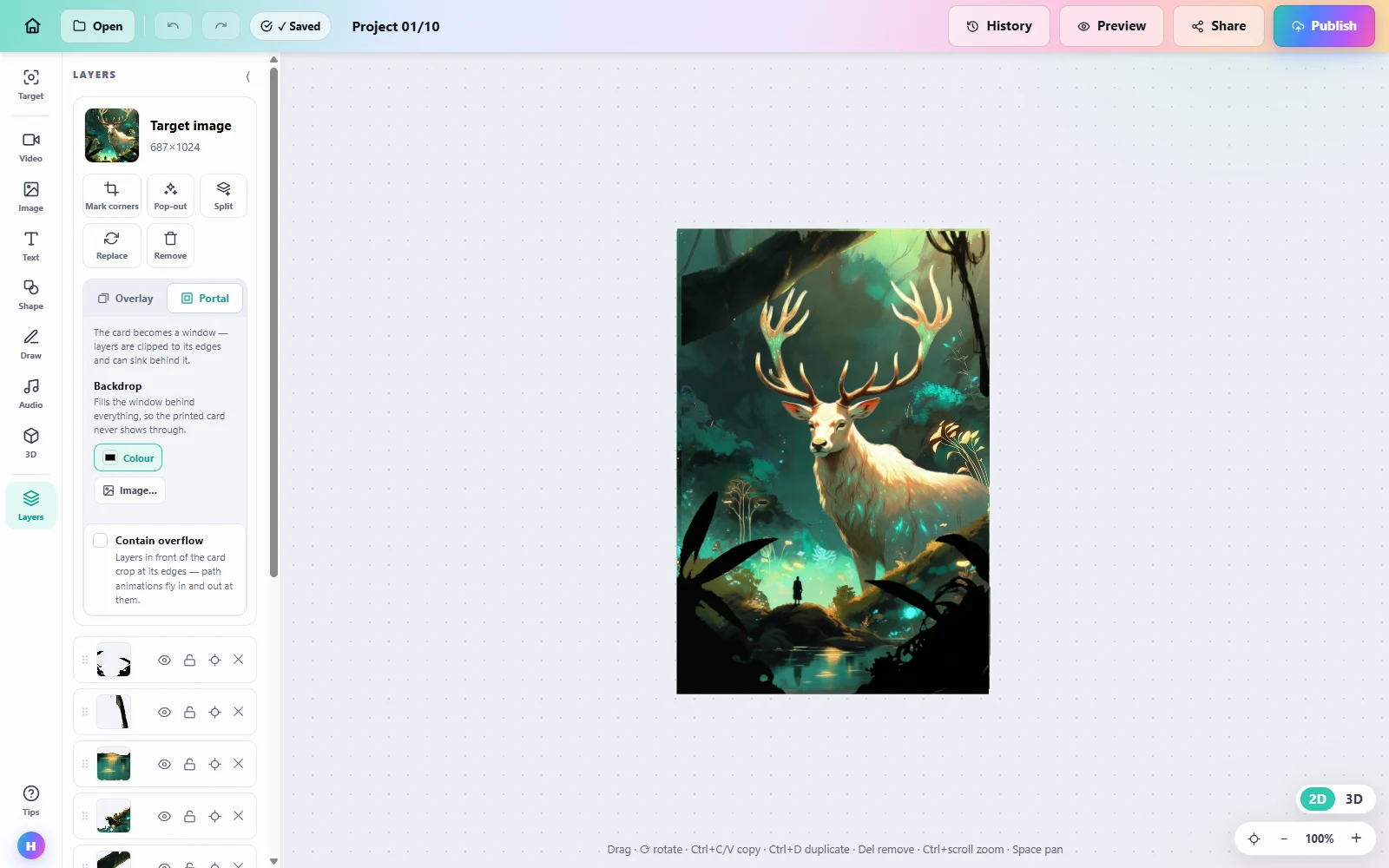
The editor is drag-and-drop: your artwork photo is the anchor, and every layer sits exactly where it will appear in AR.
Not a flat overlay — a scene with depth.
The editor's phone preview, moving around a real project: layers hold their own depth around the artwork, so the piece reads as a diorama when a viewer moves their phone — not a sticker pasted on top.
How do you make WebAR art? Three steps.
-
1
Photograph your artwork
Upload a clear photo of the print. Shot it at an angle? Mark the four corners and it's flattened for tracking.
-
2
Compose the reveal
Stack video, images, GIFs, text and 3D in the editor. Layers can float beyond the artwork's edges.
-
3
Publish and share one link
You get a link and a QR code. Viewers open it in their browser and point at the piece. No app, no account.
What artists make with it
Gig posters, exhibition posters and prints that play their story when scanned. Create an AR poster →
Custom and hand-painted cards with full-motion art, stats and lore floating beside the physical card.
A QR beside the wall label turns any hung work into a moving piece — visitors use their own phones, no gallery hardware.
Editions where every copy carries the same living layer — the AR travels with each print sold and keeps working forever.
WebAR vs app-based AR for artists
| WebAR (Interart) | App-based AR | |
|---|---|---|
| Viewer setup | Open a link — nothing to install | Download an app first (the biggest drop-off point at exhibitions) |
| Works on | iOS Safari, Android Chrome — any modern phone browser | Only devices with the app installed |
| Sharing | One URL / QR per piece | App download link + in-app search |
| If the platform's app disappears | Browsers don't get discontinued | Adobe Aero (2025) and 8th Wall (2026) shutdowns stranded published AR work |
Looking at a specific tool? See Interart vs Artivive or the Artivive alternative breakdown. Curious how the tracking actually works? The plain-language explainer · QR codes vs image tracking · Keeping AR art alive when platforms die.
Questions, answered.
WebAR (web-based augmented reality) plays an AR experience directly in the browser — no app install. For art, that means digital layers (video, images, text, 3D) anchored to a physical piece: a viewer opens a link or QR code on their phone, points the camera at the artwork, and watches it come alive.
No. Interart experiences run in any modern phone browser — iOS Safari or Android Chrome. Viewers open your link or scan your QR code, allow camera access, and point at the artwork. No install, no account.
Interart's free plan includes 3 published designs and 100 scans a month, with no credit card required — and commercial use is allowed on every plan, including free. Pro ($18/month) lifts the limits to 10,000 scans a month with unlimited published designs.
No. Published artwork on Interart keeps scanning past any usage cap — limits surface an upgrade prompt to the artist, never an error to the viewer. A printed piece in someone's hands is never turned off.
Open a template, make it yours.
Interart’s AR templates are finished, working designs — open one in the browser editor, swap in your own artwork, and it’s yours. Each one teaches a technique with a built-in guided tour.
No account needed — sign up later and your work comes with you.
Ready to bring yours to life?
Start from a photo of your art — the first reveal takes minutes.