Bring your art to life.
Augmented reality for any print — compose video, images and text on a card, a poster, a zine. Share one link. It plays pinned to the physical piece, right in the browser.
No account needed. See how it works or start from a template
- Nothing to install — it's the web
- One link or QR to share
- Video, text and 3D on real artwork
Sign in
Email and password. New here? Create an account.
Unedited iPhone capture of the live demo — this is the link below
They point.
It appears.
Your composition plays pinned to the physical piece and follows it as it moves — video on the artwork, words floating beside it. Everything runs in the browser: your audience just opens a link and points their camera. No app, no account.
On a computer? The demo shows the card and a QR code — scan it and point your phone at the screen.
Open a template, make it yours.
Interart’s AR templates are finished, working designs — open one in the browser editor, swap in your own artwork, and it’s yours. Each one teaches a technique with a built-in guided tour.
No account needed — sign up later and your work comes with you.
Making it is the easy part.
Familiar drag-and-drop, no learning curve. Your artwork is the anchor — stack videos, images, GIFs and text on top, drag, resize, rotate, snap, and let layers spill past the edges of the piece.
Shot your art at an angle? Mark the four corners and it's flattened for tracking.
Video, images, GIFs and text — each one placed exactly where you want it.
Grow the canvas and float elements outside the artwork — they hang in the air around it.
One flat image. Real depth.
One click splits your artwork into separate layers and rebuilds the background behind each one — a single illustration becomes a scene with true parallax, in about half a minute. No masking, no Photoshop.
The QR code IS the artwork.
Turn a picture into a scannable code that still looks like the picture — its own colours, no grey box stuck in a corner. Any phone camera opens your link, and on an Interart design the very same printed sheet is what the AR tracks.

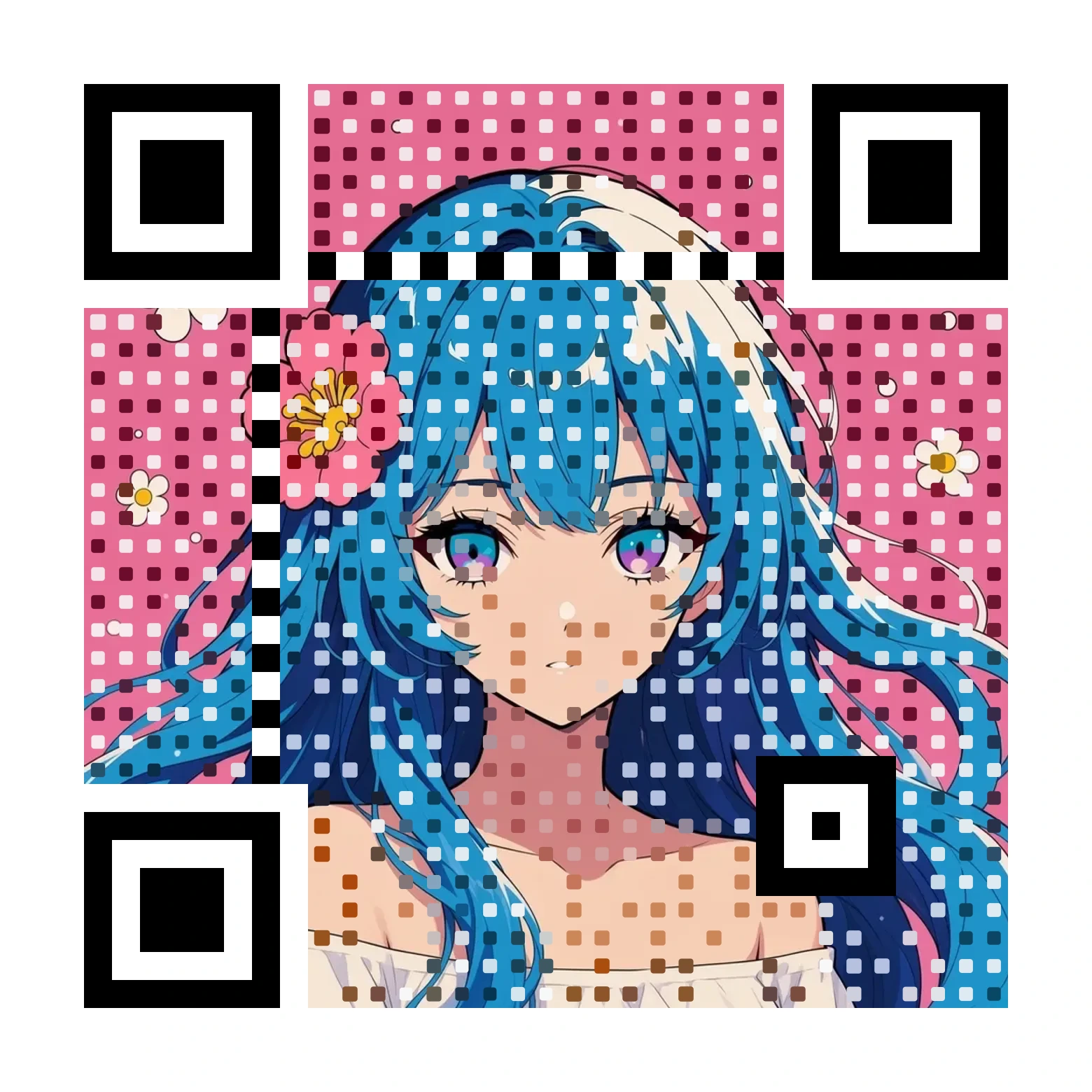
No account needed to try it. Print it on a card, a poster or a label.
A PNG only gets so big.
Drop in a PNG or JPG and get back real vector shapes — traced curves with clean corners, not a bitmap in a wrapper. It runs in your browser, on your own machine, so nothing is uploaded and a large image converts as fast as your computer can do it. Logos, line art and illustration come out beautifully; a photograph comes out stylised, because a photograph has no true vector form.

No account needed to try it. We built the tracer for the same reason we built the AR: it runs in a browser, it needs nothing installed, and it gives you the file rather than holding it hostage.
Three steps to living art.
-
1
Add your artwork
Upload or photograph the piece your camera should recognize. Detail tracks best.
-
2
Compose the reveal
Arrange what appears when it's scanned — motion, stills, words.
-
3
Share a link or QR
Viewers open it in any browser and point their camera. No app, no account.
Made for anyone who prints something.
Sell art that moves. A buyer points their phone and the piece plays its story.
Custom and hand-painted cards that animate on scan — stats, lore, full-motion art.
Wall labels that speak. Visitors scan a work and see process videos, artist notes, translations.
Any printed surface can carry a living layer — no app for your audience, ever.
Questions, answered.
Interart is a WebAR platform for creating augmented reality art. You compose video, images and text on top of a physical piece — a card, poster, zine or any print — and share a link or QR code. When someone points their phone camera at the real piece, your composition plays pinned to it, right in the browser.
No. Interart runs entirely in the browser — that is what WebAR means. Viewers open your link or scan your QR code, allow camera access, and point their phone at the artwork. There is no app to install and no account to create, on any modern iPhone or Android.
WebAR (web-based augmented reality) is AR that runs in a regular web browser instead of a dedicated app. Because it works over a simple link, WebAR experiences are far easier to share — a printed QR code next to the artwork is all it takes.
Three steps: upload a photo of your artwork, compose what should appear when it is scanned (video, images, GIFs, text, 3D), then publish and share the link or QR code. The first reveal takes minutes, and you can start free.
Yes. The editor runs in the browser on phones as well as desktops. You can photograph your artwork, place video, images, text and drawings on it, and publish, all from a phone, with nothing to download. Editing starts without an account; publishing needs a free one.
No. The editor is a flat layout canvas: you place video, images, text and drawings on a photo of your artwork, much like arranging a poster. There are no 3D axes, Unity projects or keyboard shortcuts to learn, and depth effects such as parallax layers are made with one-click tools rather than 3D modelling. An optional 3D preview shows layer depth, but nothing in the editor requires 3D skills.
Yes. Interart's art code generator renders your picture as a working QR code that keeps the artwork's own colours instead of hiding it behind a black-and-white square. It is free to try with no account. On a published Interart design the same printed sheet can also be the AR target, so one piece of paper both opens the link and anchors the augmented reality.
Yes — you can create and publish your first AR experiences on the free plan, no credit card required. Paid plans lift the limits on published designs, monthly scans and storage, and remove the viewer badge.
Published designs stay live through plan changes, cancellations and scan caps — a cap shows the artist an upgrade prompt; it never stops a published piece from playing. A published design is stored as ordinary web files (the artwork image, the media layers, the scene data and a precomputed tracking file), and the AR tracking runs on the viewer's phone in the browser rather than on a server. The artist can save those files, and because the printed artwork itself is the tracking marker, the piece could be rebuilt on another WebAR platform from the same files.
Yes. Interart offers free AR templates — finished, working designs you open with one click, swap in your own artwork, and publish as your own. Each template teaches one technique through a built-in guided tour, and no account is needed to start editing.
Both let artists augment physical art. Interart is browser-first: your audience never installs an app or creates an account, layers can spill beyond the edges of the artwork and float in the air around it, and you can publish your first piece free in minutes.
Ready to bring yours to life?
Start from a photo of your art — the first reveal takes minutes.