QR codes vs image tracking: two jobs, often confused.
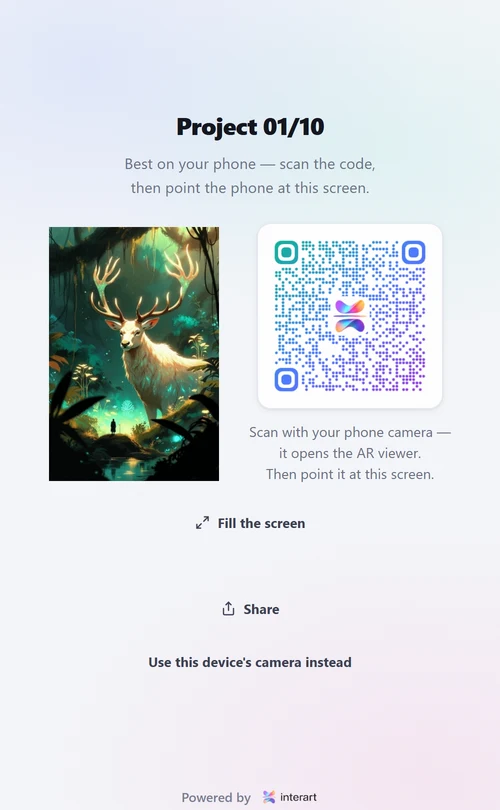
In AR art they do completely different work. The QR code is the doorway: scanning it opens the AR viewer in the phone's browser. Image tracking is the magic: the viewer recognizes the artwork itself — by its own detail, no markers — and pins the digital layers to it. The code goes beside the art; the art plays the experience.
The two-step, from the viewer's side
-
1
Scan the QR — once
The phone's normal camera app reads it and opens a link, like any QR. That link is the AR viewer running in the browser. This step is pure navigation; no AR has happened yet.
-
2
Point at the artwork — the AR begins
The viewer asks for camera access and starts looking for the artwork it knows. The piece's own detail is the marker; when it's found, the layers appear pinned to it and follow it live.
Side by side
| QR code | Image tracking | |
|---|---|---|
| Job | Opens the viewer (navigation) | Recognizes and follows the artwork (the AR itself) |
| Where it lives | Beside the art — label, insert, backing board | Inside the art — its own edges, texture, contrast |
| Scanned by | The phone's normal camera app | The AR viewer, continuously, many times a second |
| Replaceable? | Yes — any doorway works: URL, NFC, link in bio | No — it IS the experience's anchor |
Why a glyph never goes on the art
Two reasons. Aesthetically, the whole point of image tracking is that the artwork stays exactly as the artist made it — pasting a glyph on the piece surrenders that for nothing. Practically, the QR isn't needed there: it can sit on the wall label or a card in the sleeve, and one code can serve a whole print run since every copy of an edition shares the same tracked artwork. Marker-glyphs printed on art are a relic of older AR systems that couldn't track arbitrary images — modern feature tracking retired them.
None of which means the code has to be ugly, or that it must be a second object. If you want the doorway itself to look like something, the fix isn't stamping a black glyph onto a finished piece — it's building the code out of artwork in the first place, which is what the free QR code art generator does.
The third arrangement: when the code IS the art
A code built out of artwork keeps the picture's own detail, and detail is exactly what image tracking follows — so that printed sheet can be the tracked marker as well as the doorway. One card, scanned once to open the viewer, then held up and tracked. The distinction above still holds (two jobs, not one), but on small printed things like cards, stickers and labels both jobs can live on the same piece of paper. Can a QR code be the AR marker? covers when to choose that and when to keep them apart.
Questions, answered
Do I need to print a QR code on my artwork for AR? No. The QR code's only job is to open the AR viewer in the phone's browser; the artwork itself is what gets recognized and tracked, by its own visual detail. Put the QR beside the piece: on the wall label, the backing board, a sleeve insert or an enclosed card. The exception is a code built out of the artwork rather than stamped on it — an art code keeps enough of the picture's detail to be tracked, so on a card or a label one printed sheet can be both the doorway and the marker.
Can the AR work without any QR code at all? Yes, if the viewer link travels another way — a shared URL in a bio, a message, or an NFC tag all open the same browser viewer. The QR is simply the most practical doorway for physical settings, because every phone camera reads one instantly.
Why do some AR platforms put scannable markers on the art itself? Older marker-based AR needed a high-contrast printed glyph because it couldn't reliably track arbitrary images. Modern image tracking made that obsolete: the artwork's own edges, texture and contrast are the marker, so the art stays exactly as the artist made it.
Keep reading
Can a QR code be the AR marker? · How image tracking works · Photographing artwork for AR · QR code art generator · WebAR for artists