The Artivive alternative that lives in the browser.
Interart is a browser-first alternative to Artivive: your audience opens a link or QR code and the AR plays in their phone browser — no app install on any plan. The free plan renews with 100 scans every month, commercial use is included from $0, and published artwork never deactivates, no matter what you hit or cancel.
The four walls people hit
Artivive is the established name in AR art — and a fine tool for many. These are the specific constraints that send artists looking elsewhere, as published on artivive.com in August 2026.
On Artivive's standard tiers the audience downloads the Artivive app first; browser-based WebAR is a Pro Plus feature (€399.90/year). On Interart, every plan — including free — is WebAR: viewers just open a link.
Artivive's free tier includes 50 views in total, pooled across the account — and when they're used, artwork stops displaying for viewers. Interart's free plan renews with 100 scans each month, and art keeps playing past the cap.
Artivive's commercial licence starts at the Business tier (€999/year). On Interart, commercial use — selling prints, cards and commissions — is included on every plan, from $0.
At the cap, Artivive viewers see a limit message until the artist buys a top-up pack (from €39.90). Interart's scan caps are soft: they prompt the artist to upgrade and never interrupt the viewer.
Interart vs Artivive in one table
| Interart | Artivive | |
|---|---|---|
| Viewer app | Never — WebAR on every plan | App on standard tiers; WebAR from Pro Plus (€399.90/yr) |
| Free plan | 100 scans/month, renews monthly | 50 views, lifetime total |
| At the view/scan cap | Art keeps playing; artist sees an upgrade prompt | Artwork stops displaying; top-up packs from €39.90 |
| Commercial use | Every plan, from $0 | From Business, €999/yr |
| First paid tier | $18/mo ($173/yr) — 10,000 scans/mo | €139.90/yr (≈€11.66/mo) — 1,000 views/mo, personal use |
| Layers beyond the artwork's edges | Yes — elements float around the print | — |
Artivive details from artivive.com's public pricing and help pages, August 2026 — check their site for current terms. Full breakdown: Interart vs Artivive.
What you'd be switching to
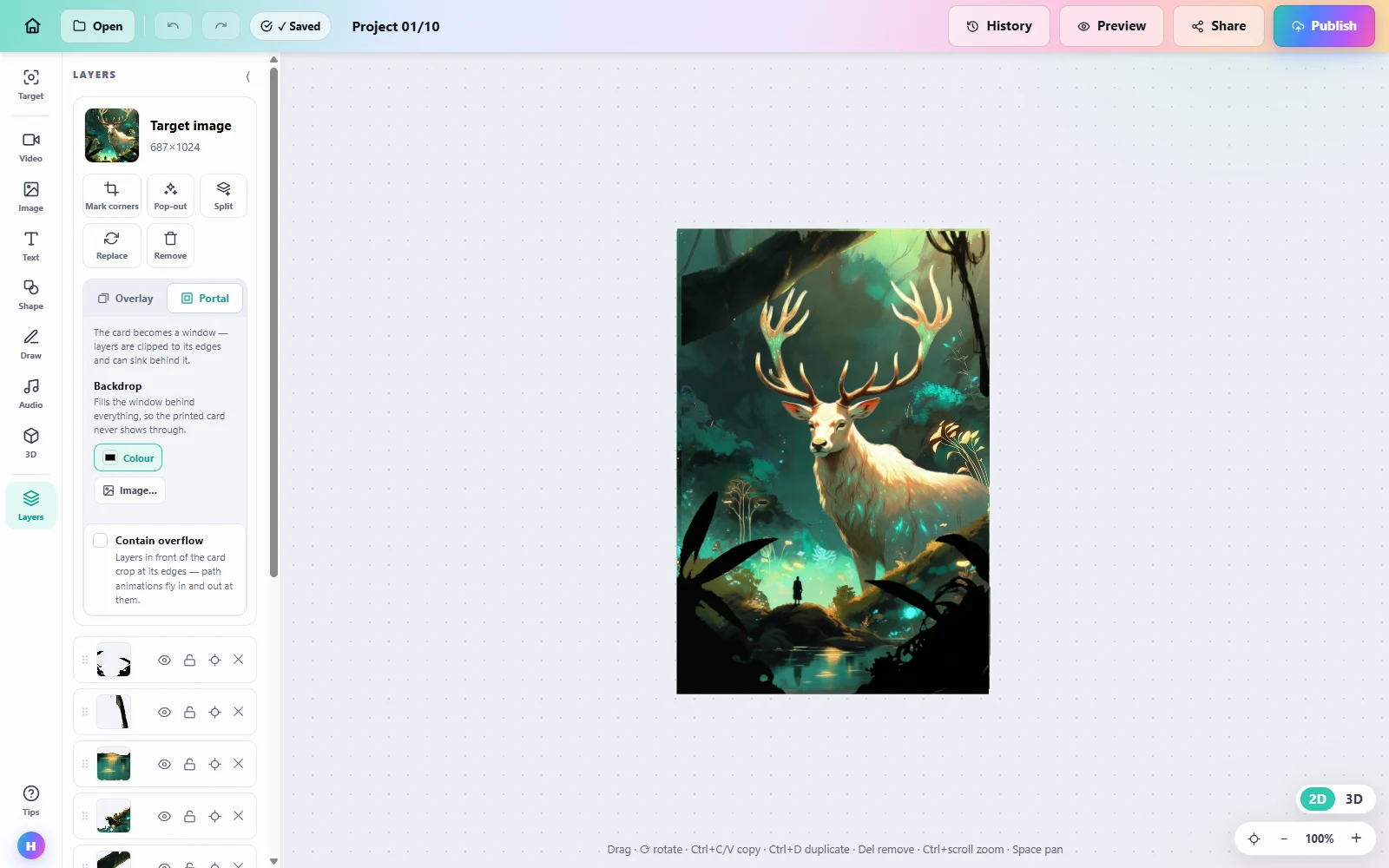
A real project in the Interart editor — the artwork is the anchor, layers compose in place, and publishing gives one link and QR per design.
Moving an artwork takes an afternoon, not a project
-
1
Re-upload the artwork photo
The same image you gave Artivive works here — the art itself is the tracking marker on both platforms, so printed pieces need no change.
-
2
Rebuild the reveal
Add your video and layers in the editor. This is usually minutes per piece — and you can now push elements beyond the artwork's edges.
-
3
Publish and swap the QR
Publishing gives a new link and QR code. Replace the code beside the physical work; the AR now opens in the browser with nothing to install.
Questions, answered.
It depends on what you need. If your priority is a viewer experience with no app install, a free plan that renews monthly, and the right to sell your work on any tier, Interart is built exactly for that: WebAR in the browser, 100 free scans a month, commercial use included from $0, and published art that never deactivates.
Yes. Interart's free plan includes 3 published designs and 100 scans a month, renewing every month, with commercial use allowed — no credit card. For comparison, Artivive's free tier includes 50 views in total (lifetime), and artwork stops displaying once they are used (artivive.com, August 2026).
There is no automated importer, but a move is quick: you re-upload the artwork photo, re-add your video or layers in the editor, and publish to get a new link and QR code. Most single-artwork migrations take under half an hour; the printed art itself needs no change because the artwork is the tracking marker on both platforms.
No. Scan limits on Interart are soft by design: crossing one shows the artist an upgrade prompt, and the published artwork keeps playing for every viewer. A printed piece is never turned off by a usage cap.
Open a template, make it yours.
Interart’s AR templates are finished, working designs — open one in the browser editor, swap in your own artwork, and it’s yours. Each one teaches a technique with a built-in guided tour.
No account needed — sign up later and your work comes with you.
Try the switch with one artwork.
Free plan, no credit card — see your piece playing in the browser this afternoon.